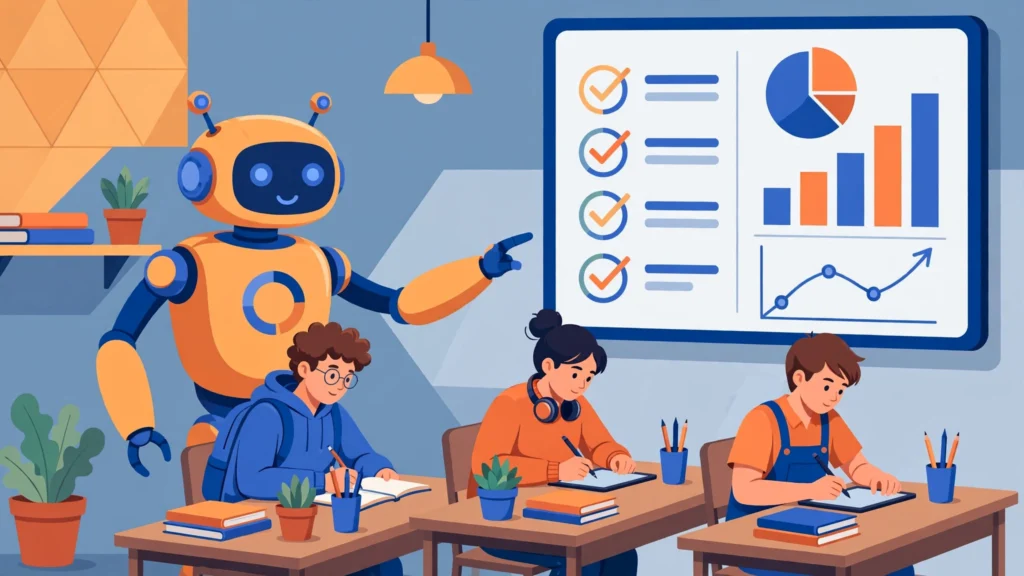

Teachers have a math problem no one can solve: thirty students, one set of eyes, and a stack of essays that takes all weekend to grade. Students wait days — sometimes weeks — for feedback, by which point they’ve already moved on. Class Companion is the AI tool trying to fix exactly that.
Class Companion is an AI-powered platform that gives students instant, rubric-aligned feedback on written assignments — and gives teachers their weekends back. Students write, submit, get detailed AI coaching in seconds, revise, and resubmit. Teachers watch it all happen on a dashboard that flags who needs help and who’s flying.
In this guide, we’ll explain what Class Companion is, who built it, how it works step by step, what it costs (free vs. paid), which subjects and grades it supports, how it handles privacy and AI cheating, what the Panorama Education acquisition means, how it compares to ChatGPT and Turnitin, and whether it’s actually worth using.
What Is Class Companion?
Class Companion is an AI tutoring and instant-feedback platform designed for classrooms. Instead of students submitting an essay and waiting days for a grade, they get immediate, detailed feedback from the AI — aligned to the teacher’s own rubric — the moment they submit. They can revise and resubmit as many times as they want, turning writing into an iterative process rather than a one-shot judgment.
The platform’s core idea is simple but powerful: feedback is most useful when it’s immediate. Research on learning has long shown that timely feedback beats delayed feedback. Class Companion automates the first several rounds of that feedback — grammar, structure, argument strength, rubric criteria — so the teacher’s time goes to the high-value work: mentoring, nuanced judgment calls, and the students who need them most.
Importantly, Class Companion is positioned as a feedback tool, not a writing tool. Students don’t use it to generate essays with AI. They write the work themselves; the AI critiques it. That distinction matters enormously for academic integrity — and it’s the foundation of the product’s philosophy.
Who Created Class Companion?
Class Companion was founded in 2023 in San Francisco by CEO Avery Pan and co-founder Jack Forbes. The company raised a $4 million seed round led by Index Ventures, with participation from the OpenAI Startup Fund and angel investors including AI researcher Andrej Karpathy — a signal of serious backing in the edtech AI space.
From the start, the pitch was teacher-first. Rather than building a student-facing chatbot and hoping teachers adopted it, Class Companion built tools teachers actually control: their rubrics, their assignments, their dashboards. Teachers set the rules; the AI enforces them at scale. That framing helped it spread quickly through schools — the company claims tens of thousands of schools and over a million students have used it.
In April 2025, Panorama Education acquired Class Companion, and the product was folded into Panorama’s AI platform as “Solara with Class Companion.” Panorama — already a major name in student-success and social-emotional learning software for districts — positioned the acquisition as bringing privacy-focused classroom AI to its district network. We’ll unpack what that means for users later in this guide.
How Class Companion Works: Step by Step
The platform runs on a simple three-step loop:
Step 1: The Teacher Sets Up an Assignment
A teacher creates an assignment in Class Companion — either by generating one with AI assistance or uploading their own prompt. They attach their rubric (or use a built-in one, including AP-aligned rubrics for DBQ, LEQ, and SAQ essays). They can add scaffolded hints, exemplar responses, and custom instructions. The AI learns what “good” looks like for this specific assignment.
Step 2: Students Write and Submit
Students join the assignment (no complex setup — they can be invited via link or class code) and write their responses in the platform. When they submit, the AI analyzes the work against the teacher’s rubric and returns feedback in seconds: criterion-by-criterion scores, specific comments on what’s working, what’s missing, and concrete suggestions for improvement.
Step 3: Revise, Resubmit, Repeat
Here’s where the magic happens. Students can revise and resubmit unlimited times, getting fresh feedback each round. Writing becomes a conversation instead of a verdict. If a student disagrees with the AI’s feedback, they can appeal it to the teacher — keeping a human in the loop exactly where human judgment matters.
The Teacher Dashboard
While students iterate, teachers see everything on an analytics dashboard: class-wide strengths and gaps, engagement levels, individual progress, and flags for academic-integrity concerns. Instead of grading thirty first drafts by hand, the teacher reviews AI-assisted work and focuses attention where it’s needed.
Key Features
| Feature | What it does |
|---|---|
| Instant rubric-aligned feedback | Criterion-by-criterion scoring and comments in seconds, matched to the teacher’s own rubric |
| Unlimited revisions | Students resubmit as often as they like; each round brings new feedback |
| Hints and scaffolding | Guided prompts and exemplars that nudge students toward stronger work |
| Student appeal flow | Students can dispute AI feedback; the teacher makes the final call |
| Teacher analytics dashboard | Class insights: strengths, gaps, engagement, and individual progress |
| Academic integrity tools | Response-integrity detection — typing anomalies, copy-paste and tab-switch flags, similarity checks (paid plans) |
| AP rubric support | Built-in alignment for AP writing: DBQ, LEQ, SAQ rubrics |
| LMS integration | Connects with school learning-management systems (paid school/district plans) |
Subjects and Grades Supported
Class Companion focuses on writing-heavy subjects, where feedback matters most:
| Subject | Examples |
|---|---|
| English / ELA | Essays, literary analysis, creative writing, research papers |
| Social Studies / History | DBQs, document analysis, argumentative essays |
| Science | Lab reports, scientific explanations, CER (claim-evidence-reasoning) writing |
| World Languages | Written compositions and language-production tasks |
The platform serves kindergarten through higher education, though its sweet spot is upper elementary through high school — the grades where extended writing assignments are common. Its AP-writing support has made it especially popular in high school history and English departments.
Class Companion Pricing: Free vs. Paid
Pricing is one of the most-searched questions about Class Companion — and one of the least transparently answered on the official site. Here’s what is known:
| Plan | Who it’s for | What’s included |
|---|---|---|
| Free plan | Individual teachers and their students | Core AI feedback, assignments, unlimited student revisions; pasted text is visible to teachers |
| School / District plan | Schools and districts (paid) | LMS integration, district-level insights, advanced response-integrity detection (typing anomalies, copy-paste flags, similarity checks), admin controls |
The free plan for individual teachers is genuinely usable — it’s how most teachers first encounter the product. The company doesn’t publish the paid plan’s price; districts negotiate it through Panorama’s sales process. If you’re a teacher, start free. If you’re an administrator evaluating it for a district, expect a sales conversation — and ask specifically about data-processing agreements, which the company provides in a Data Privacy Packet for IT directors.
How Class Companion Handles AI Cheating
This is the question every teacher asks: if students have AI at home, what’s stopping them from submitting AI-written work? Class Companion’s answer has several layers:
- Feedback, not generation: the platform is designed so students receive AI feedback rather than produce with AI. The workflow assumes student-authored work.
- Response-integrity detection (paid plans): flags typing anomalies, large pasted blocks, copy-and-leave-tab behavior, and similarity across submissions.
- Free-plan transparency: on the free plan, pasted text is shown to the teacher — a simple, honest deterrent.
- Philosophy of judgment: the company explicitly encourages teachers to use their own judgment rather than treating any flag as proof. It’s a feedback-first tool with integrity features, not a policing tool with feedback bolted on.
That last point is the key philosophical difference from Turnitin-style tools: Class Companion wants to make cheating less attractive by making revision more rewarding, not by building a better trap.
Getting Started: A Teacher’s First Week With Class Companion
New to the platform? Here’s a realistic first-week rollout:
- Day 1 — Sign up and explore. Create a free teacher account on classcompanion.com (or through your district’s Panorama portal). Click through a sample assignment to see what students experience.
- Day 2 — Build your first assignment. Start small: one short writing task with a rubric you already use. Upload or paste your rubric — the clearer your criteria, the better the AI’s feedback.
- Day 3 — Add scaffolding. Attach one exemplar response and two or three hint prompts. Exemplars are the single biggest lever on feedback quality.
- Day 4 — Pilot with one class. Invite students via link or class code. Walk them through the submit → feedback → revise loop live, and show them the appeal button so they know a human backs up the AI.
- Day 5 — Review the dashboard. Check the analytics: which rubric criteria is the whole class missing? That’s Monday’s mini-lesson, planned for you by data.
Most teachers report the setup taking under an hour — the learning curve is in refining rubrics and prompts over the first few assignments, not in the tool itself.
Tips for Getting the Best Results
- Invest in your rubric. Vague criteria (“good analysis”) produce vague feedback. Specific, observable criteria (“cites at least two documents to support each claim”) produce specific coaching.
- Provide exemplars. Showing the AI what excellent work looks like for your assignment dramatically improves feedback relevance.
- Teach students to read feedback. The first iteration often gets skimmed. Model reading one feedback report aloud and acting on it — students copy what you demonstrate.
- Use the appeal flow deliberately. When students dispute feedback, treat it as a teaching moment about argumentation, not a tech-support ticket.
- Watch for AI-pleasing. If every essay starts sounding the same, students may be optimizing for the algorithm. Mix in ungraded, unassisted writing to protect authentic voice.
- Start with low stakes. Run the first assignment as formative (ungraded or lightly graded) so students experiment freely with the revision loop.
The Panorama Acquisition: What “Solara with Class Companion” Means
In April 2025, Panorama Education acquired Class Companion and rebranded the combined offering as “Solara with Class Companion.” Panorama is already deeply embedded in US school districts through its student-success platform (covering academics, attendance, behavior, and social-emotional learning). The acquisition brought Class Companion’s classroom AI into Panorama’s district-level ecosystem.
What does this mean in practice?
- For existing Class Companion users: the core product continues — assignments, instant feedback, dashboards. The main visible change is branding and deeper integration with Panorama’s platform.
- For districts: the pitch is now a unified story — classroom-level AI feedback feeding into district-level insights. Panorama cites figures like 70,000 teachers and 1.7 million students across its AI offerings, plus a case study claiming 15–17% ELA test-score gains in one California district (vendor-reported, so treat it as marketing rather than independent evidence).
- The rebrand confusion: searches for “Class Companion” now surface both classcompanion.com and Panorama’s “Solara” pages. If you’re evaluating it, know they’re the same product family — “Solara with Class Companion” is the current name.
Class Companion vs. ChatGPT vs. Turnitin vs. Gradescope
Teachers often ask how Class Companion differs from tools they already know. Here’s the honest comparison:
| Tool | Primary job | Who controls it | Best for |
|---|---|---|---|
| Class Companion | Instant rubric-aligned feedback + revision workflow | The teacher (their rubric, their assignments) | Writing instruction with iterative feedback |
| ChatGPT / generic AI | General-purpose generation and Q&A | The student (uncontrolled) | Not designed for classrooms; no rubrics, no dashboards, integrity headaches |
| Turnitin | Plagiarism and AI-writing detection | The institution | Policing originality — detects, doesn’t teach |
| Gradescope | Streamlined grading (esp. STEM/problem sets) | The teacher | Faster grading of structured work; less feedback depth on writing |
The key distinction: ChatGPT does the work, Turnitin checks the work, Gradescope speeds up grading — and Class Companion coaches the student while they work. A school could plausibly use Class Companion alongside Turnitin: one to teach, one to verify.
Privacy and Security
Student data is the third rail of edtech, and Class Companion leans hard into compliance:
- FERPA and COPPA compliant — the US federal standards for student educational records and children’s online privacy.
- Student Privacy Pledge signatory — a voluntary industry commitment on responsible data handling.
- No selling or renting of student data — stated explicitly in its privacy materials.
- Data Privacy Packet — documentation for district IT directors covering data processing, retention, and security practices.
The Panorama acquisition arguably strengthens this story: Panorama already navigates district procurement and privacy reviews at scale. Still, as with any edtech tool, districts should review the actual data-processing agreement rather than relying on marketing claims — a step Class Companion itself facilitates with its IT packet.
Pros and Cons: An Honest Assessment
Pros
- Truly instant feedback — seconds instead of days; the pedagogical value is real.
- Unlimited revision culture — shifts writing from one-shot performance to iterative craft.
- Teacher stays in control — their rubric, their assignments, appeal flow keeps human judgment final.
- Free tier for individual teachers — genuinely usable without a purchase order.
- Strong AP-writing support — DBQ/LEQ/SAQ alignment is a real differentiator for high schools.
- Privacy posture — FERPA/COPPA compliance and pledge signatory status.
Cons
- AI feedback isn’t perfect — it can miss nuance, misread creative choices, or give generic advice. Teacher review remains essential.
- Pricing opacity — no published price for school/district plans; procurement requires a sales process.
- Rebrand confusion — the “Solara with Class Companion” naming has muddied search results and product identity.
- Writing-subject focus — less useful for math-heavy or purely multiple-choice courses.
- Over-reliance risk — students may optimize for the AI’s preferences rather than developing their own voice; teachers need to watch for this.
- Equity considerations — benefits depend on device and connectivity access, which isn’t universal.
What Teachers Say
Teacher testimonials are enthusiastic: the company cites figures like 95% of teachers saying student confidence improved and 96% saying learning improved. A school-newspaper case study told a vivid story — a student who scored 4/9 on a practice DBQ and, after iterating with AI feedback, scored 9/9 on the real thing.
Take these as directionally encouraging rather than scientifically rigorous. They’re marketing-selected anecdotes, not controlled studies. The honest summary of teacher sentiment: those who use it tend to love the time savings (the company claims up to 12 hours a week) and the revision culture it creates — but it’s a tool that rewards engaged teachers, not a replacement for them.
A Student’s-Eye View: What Using Class Companion Feels Like
Most coverage of Class Companion is written for teachers and administrators. But what does it feel like on the other side of the screen?
For students, the experience is closer to a video game loop than a traditional assignment: submit, get a score breakdown, fix the weakest criterion, resubmit, watch the score climb. That tight feedback loop is motivating in a way red ink never was — progress is visible and immediate. Students who’d never voluntarily revise an essay will happily run five iterations chasing a better rubric score.
The appeal button matters more than adults realize. Knowing you can challenge the AI — and that your teacher sees the dispute — makes the system feel fair rather than authoritarian. Students report that arguing with feedback (and sometimes winning) teaches them to defend their choices, which is itself a writing skill.
The honest student critique: when every assignment runs through the same loop, the novelty fades and it can start to feel like grinding. The best teachers mix Class Companion assignments with unassisted writing, discussion, and creative work — using the AI loop as one instrument in the band, not the whole concert.
Frequently Asked Questions
What is Class Companion?
Class Companion (classcompanion.com, now “Solara with Class Companion” under Panorama Education) is an AI platform that gives students instant, rubric-aligned feedback on written assignments. Teachers create assignments with their own rubrics; students submit, get AI coaching in seconds, revise, and resubmit — while teachers monitor progress on an analytics dashboard.
Is Class Companion free?
Yes — there’s a free plan for individual teachers and their students that includes core AI feedback and unlimited revisions. Paid school and district plans add LMS integration, district-level insights, and advanced academic-integrity detection. The paid plan’s price isn’t published; districts negotiate it with Panorama.
Can Class Companion detect AI-generated text?
It’s not primarily an AI detector like Turnitin. Instead, paid plans include response-integrity features (typing-anomaly detection, paste and tab-switch flags, similarity checks), and the free plan shows pasted text to teachers. Its philosophy is feedback-first: make revision rewarding rather than policing cheating.
Is Class Companion FERPA and COPPA compliant?
Yes. The company states FERPA and COPPA compliance, is a Student Privacy Pledge signatory, says it doesn’t sell or rent student data, and provides a Data Privacy Packet for district IT directors.
What happened to Class Companion — is it part of Panorama now?
Panorama Education acquired Class Companion in April 2025 and rebranded the offering as “Solara with Class Companion.” It’s the same core product — AI feedback on assignments — now integrated with Panorama’s district-level student-success platform.
Conclusion
Class Companion earns its buzz: instant, rubric-aligned feedback with unlimited revisions is genuinely one of the best classroom uses of AI anyone has shipped. The teacher-first design, the appeal-to-teacher safety valve, and the feedback-not-policing philosophy on academic integrity all suggest a product built by people who understand classrooms.
The caveats are real but manageable: AI feedback needs human oversight, pricing requires a sales call, and the Panorama rebrand has created some naming confusion. For individual teachers, the free plan makes trying it a near-zero-risk decision. For districts, it’s worth a serious evaluation — with the data-processing agreement read carefully, as always. The weekend-eating essay stack may finally have met its match.